Fix Wi-Fi Issues
Guides for fixing weak Wi-Fi, dead zones, dropped connections, router placement problems, interference, and Wi-Fi band issues.
Latest Home Internet Guides
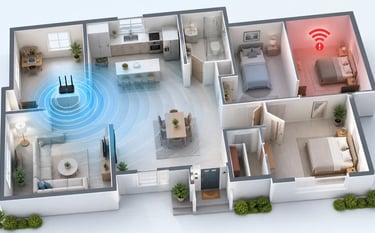
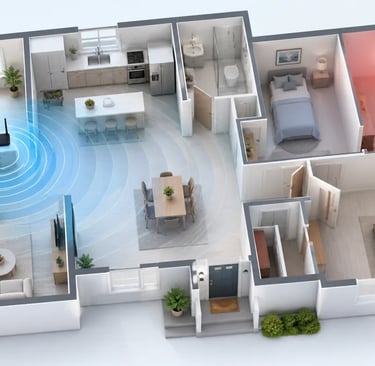
A Wi-Fi dead zone is an area in your home where the signal becomes weak, unstable, or unusable.
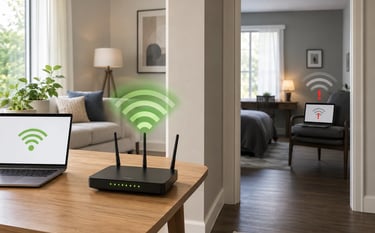
If Wi-Fi works near the router but not in another room, test the same device, compare another device, then check walls, bands, placement, and interference first.
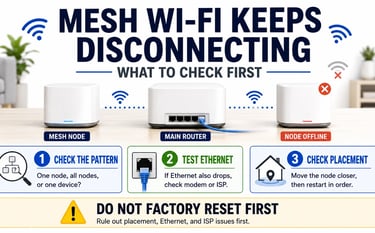
If mesh Wi-Fi keeps disconnecting, check whether one node, all nodes, Ethernet, placement, firmware, or your ISP is causing the drops before resetting anything.
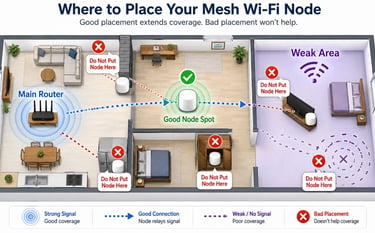
Learn where to place a mesh Wi-Fi node so it actually helps: halfway to the weak area, open, elevated, away from blockers, and not inside the dead zone.
Latest Home Internet Guides
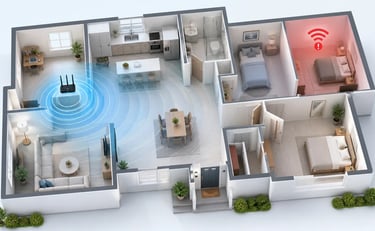
A Wi-Fi dead zone is an area in your home where the signal becomes weak, unstable, or unusable.
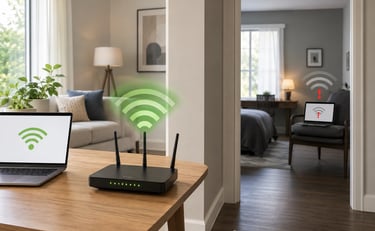
If Wi-Fi works near the router but not in another room, test the same device, compare another device, then check interference first.
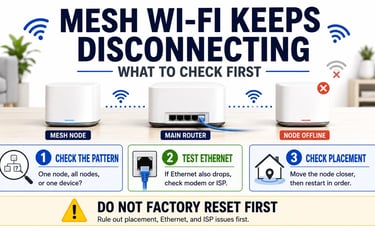
If mesh Wi-Fi keeps disconnecting, check whether one node, all nodes, Ethernet, placement, firmware, or your ISP is causing the drops before resetting anything.
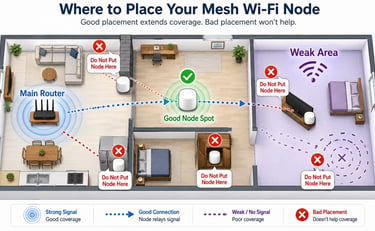
Learn where to place a mesh Wi-Fi node so it actually helps: halfway to the weak area, open, elevated, away from blockers, and not inside the dead zone.